

Redirect Bot Traffic
Send human visitors and automated traffic to different destinations.
Some links benefit from sending people to one place and automated requests — crawlers, bots, scanners — somewhere else, such as a lighter-weight page that doesn’t need to render for a real visitor.
Set it up
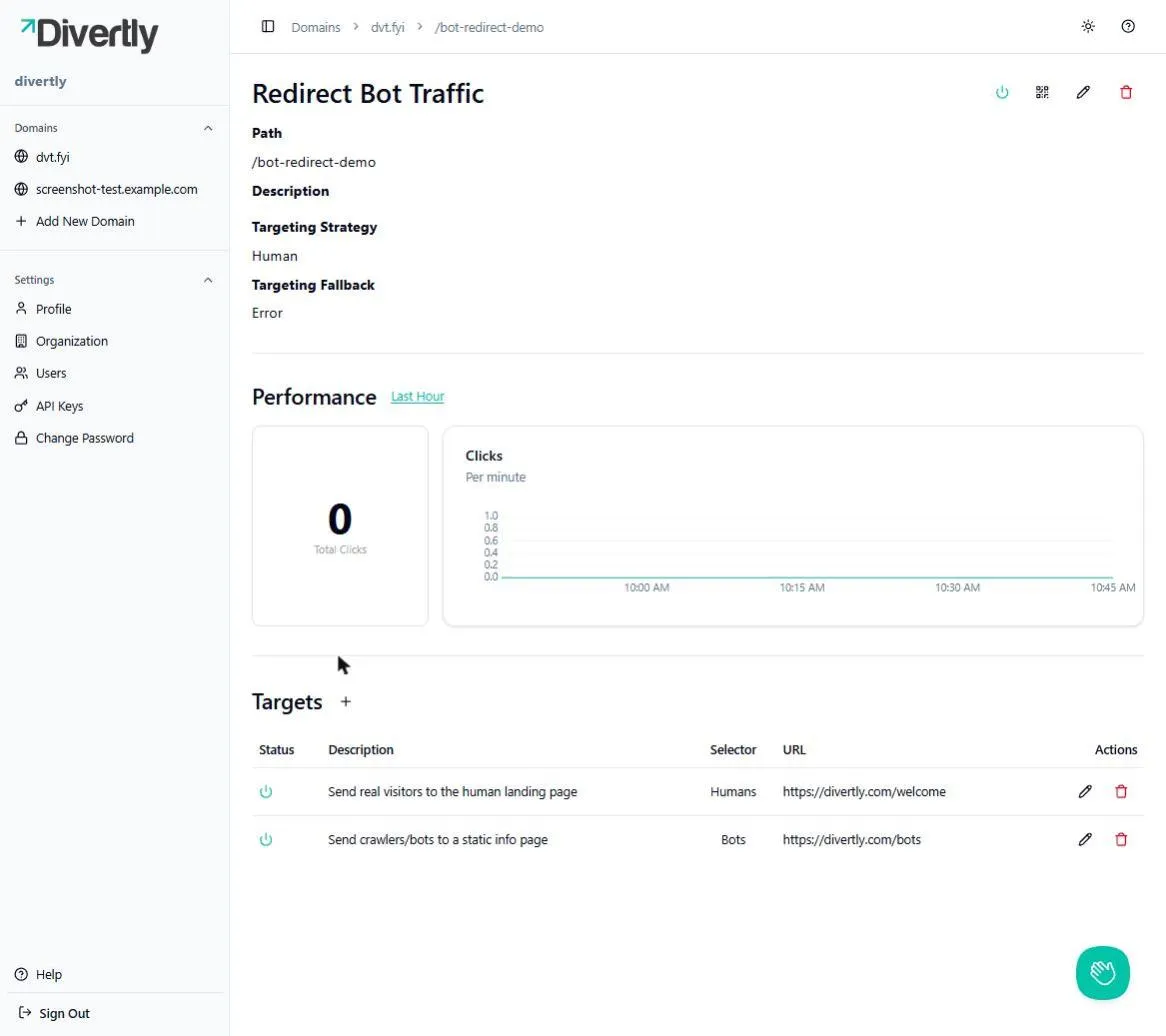
- On the route, set its Targeting Strategy to Human.
- Add a target and set its match value to Humans; point it at the destination real visitors should see.
- Add a second target and set its match value to Bots; point it at whatever you want automated traffic to see instead.
Each request is classified as one or the other before a target is chosen, so every request the route receives is handled by exactly one of your two targets.
Combine with a fallback
Set the route’s Targeting Fallback to Resolve with a default target if you’d rather send unclassified traffic somewhere specific instead of returning an error.