

Divertly in 10 Minutes
Create an account
Go to app.divert.ly/sign-up to create your account. Follow the instructions to create your organization, user, and select your subscription plan.
Once your account is created, follow the instructions in the email you received to activate your user account and log in to your dashboard.
Dashboard
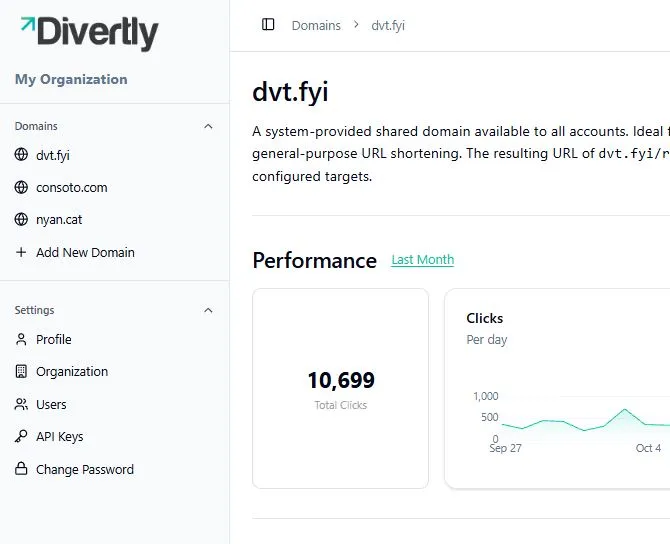
Welcome to your new Divertly account. Here’s a quick tour.
The navigation pane on the left holds the links and menus you need to manage your account, access help and other resources, and manage your organization.
To the right of the navigation pane is the detail view for whichever resource you’re currently viewing. At the top, breadcrumbs show you which resource you’re looking at and how deep into the resource tree you are.
Below that is the resource’s traffic over the selected time range, then a list of the resources under it. Since you start on the Domain view, you’ll see a list of routes that fall under that domain.
The domain shown by default, dvt.fyi, is a special one: it’s shared across the entire platform, and lets your organization create routes without setting up a custom domain first.
If you need help, you have two options:
- Click Help in the bottom left, just above Sign Out, to go to the support site at support.divert.ly.
- Click the waving-hand button in the bottom right to open a chat with a support engineer in real time.
Your first route
Let’s create a route. Click the + button next to Routes in the main view to open the New Route form.
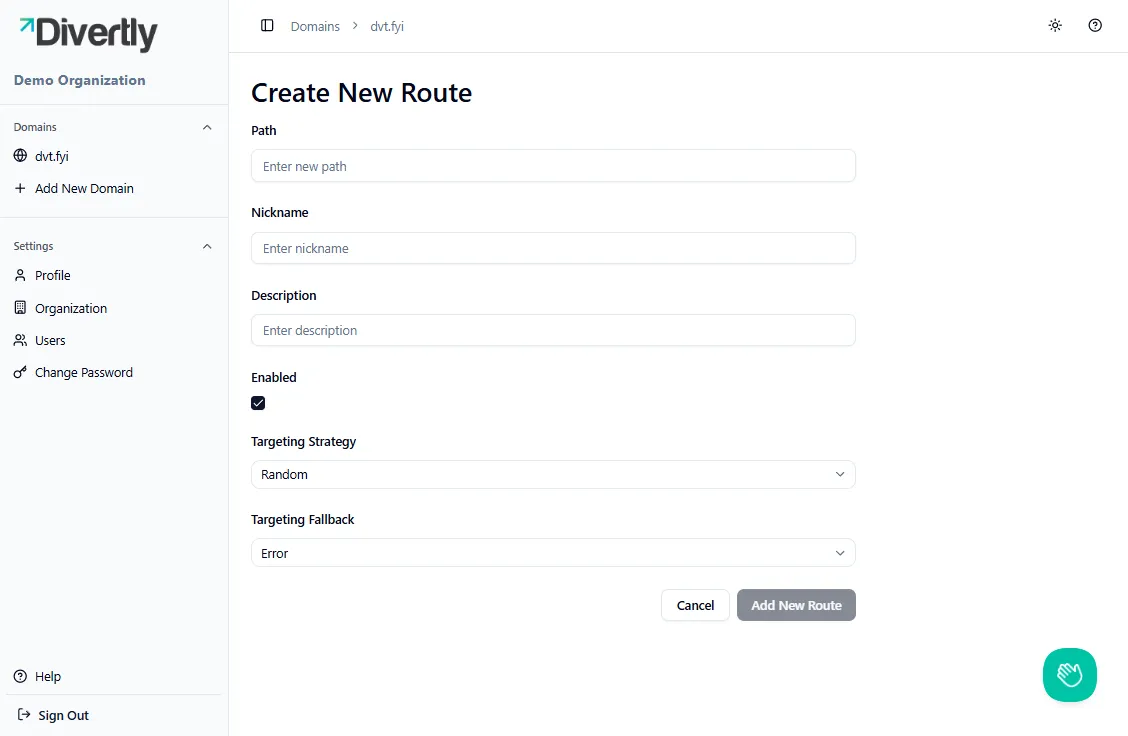
Fill out the following fields:
- Path — the path your route will have, appearing directly after the domain, like
/my/first/routeor/cool-dogs. Click the dice icon next to the field to generate a random one instead. Becausedvt.fyiis shared across every organization, paths on it must be globally unique — similar to how AWS S3 bucket names must be globally unique. We suggest prefixing your paths with your company name or another identifier of your own, such as/foo/route1if your company is “Foo.com”. - Nickname — a short, friendly name to help you track and organize the route.
- Description — a longer field for details about the route. For example, if a route is tied to a specific event, note the dates it should be active as a reminder to yourself.
- Enabled — leave this checked to make the route live immediately. Uncheck it if you’d rather finish setting it up before it starts routing traffic.
- Targeting Strategy — how you’d like the route to choose which target handles a request. Random is the default, and spreads traffic evenly across targets with no further setup. Weighted lets you control the split yourself using each target’s weight. Divertly supports several other strategies too — see Routes for the complete list; Weighted and Random are available on every plan, and the rest on paid plans.
- Targeting Fallback — what happens when no target matches the strategy. Choose
Resolveto fall back to a default target, orErrorto return an error to the visitor instead. - Default Target — if you chose
Resolveabove, the target to fall back to.
Click Add New Route to create it.
A route can’t do much without targets, so let’s add some.
Targets
Now that you’ve created a route, add the destinations it should send traffic to — these are targets. Click the new route to open its detail view.
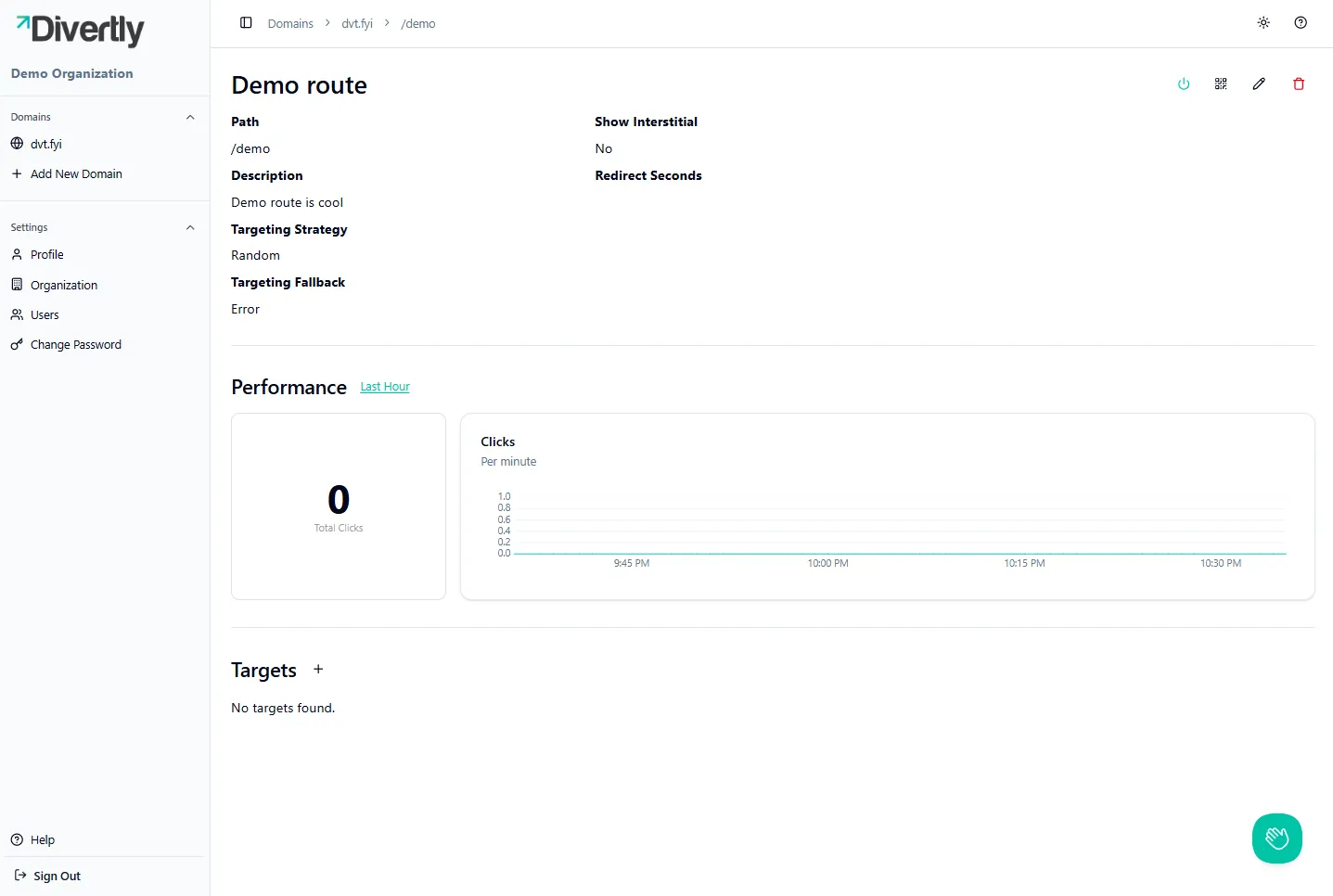
From here you can view and edit the route, generate a QR code for it, view its metrics, and add targets.
Click the + button next to Targets to open the Create New Target form.
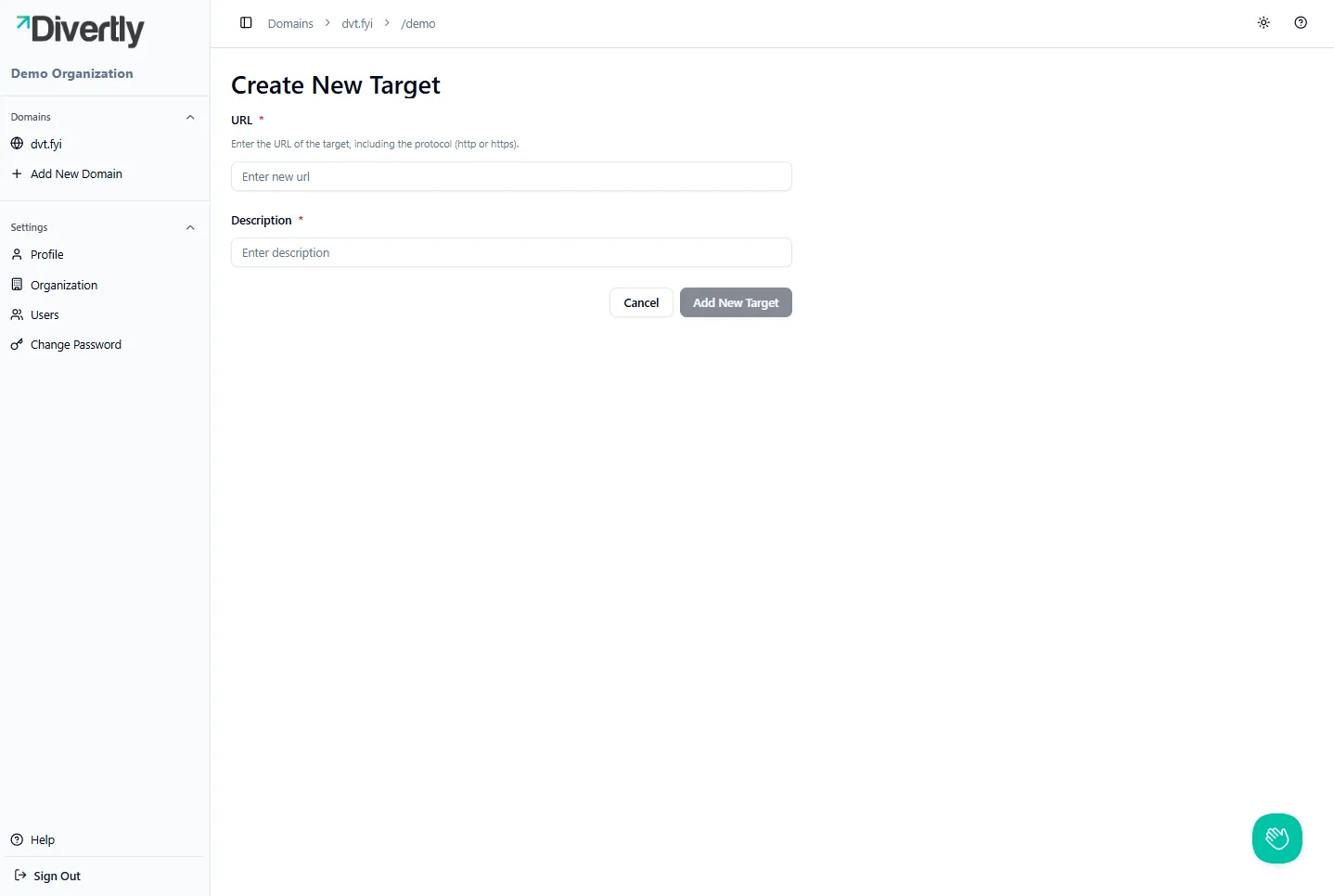
Fill out the following fields:
- URL — the full URL of the destination, for example
https://divert.ly/index.html. - Description — a meaningful description of what this target is.
Depending on your route’s targeting strategy, you may see one more field here for the match value — a weight, a preset value, or free text. See Targets for what each strategy expects.
Click Add New Target to create it.
You’re now routing traffic through Divertly. From here, see How Divertly Works for the full model, or jump straight to a user guide for a specific thing you’re trying to do.