
Skip to navigation

Targets

The destinations a route can send traffic to.
View as Markdown

A target is a single destination a route can send a request to — a webpage, a video, a file, anything reachable by URL. A route with no targets has nowhere to send traffic.

Fields

Every target has:

FieldDescription
URLThe destination, including its scheme (http or https).
DescriptionWhat this target is, for your own reference.
EnabledWhether the target can currently be resolved. A disabled target never receives traffic, even if its route’s strategy would otherwise select it.

Match value

What else a target needs depends on its route’s targeting strategy:
StrategyWhat you provide on the target
WeightedA Weight — a relative number. A target with a weight of 2 receives twice the traffic of one with a weight of 1. Weights only matter relative to each other, not as absolute percentages.
RandomNothing further.
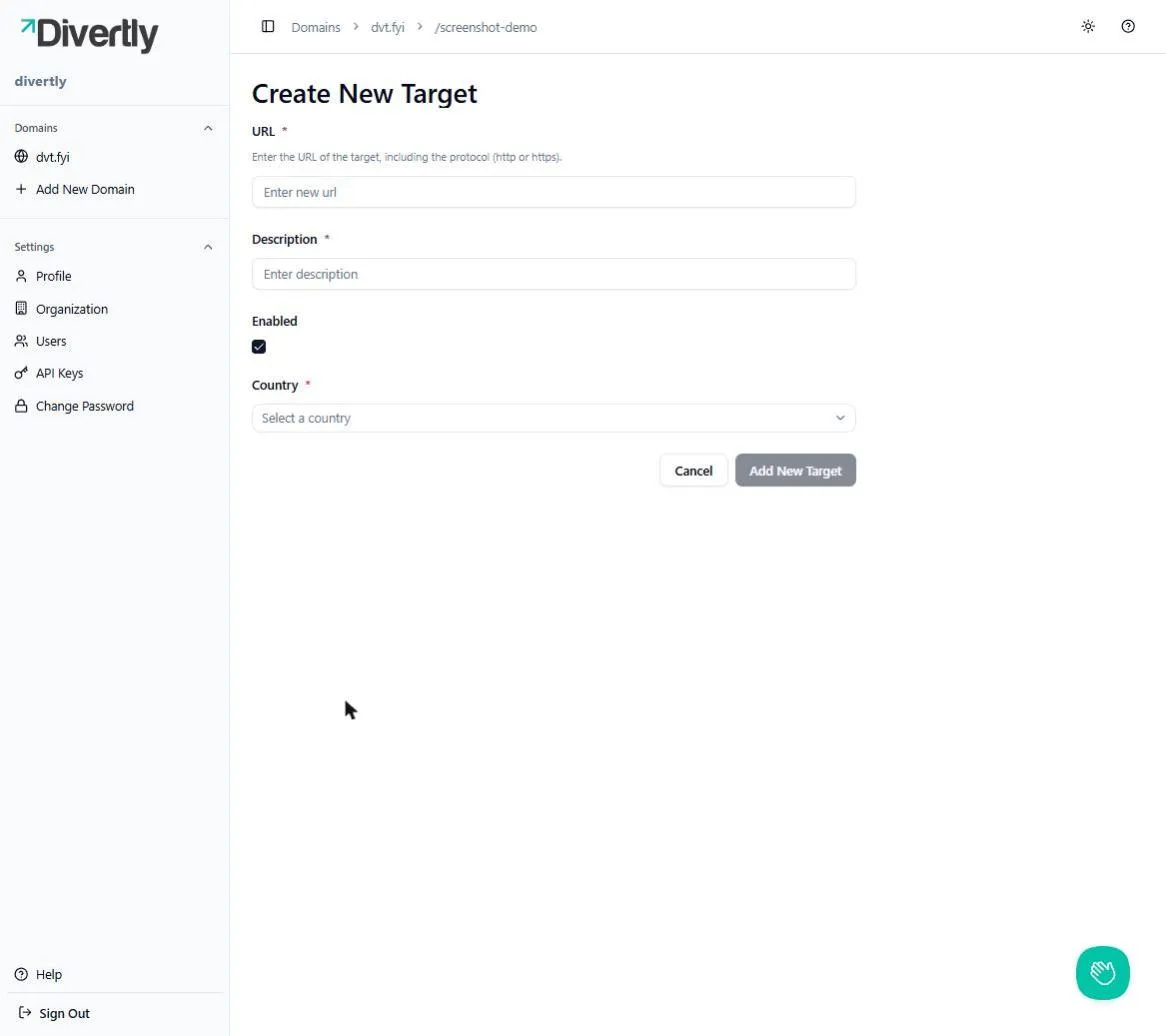
Country, Device Type, Operating System, Language, BrowserA value chosen from a preset list of common patterns for that attribute.
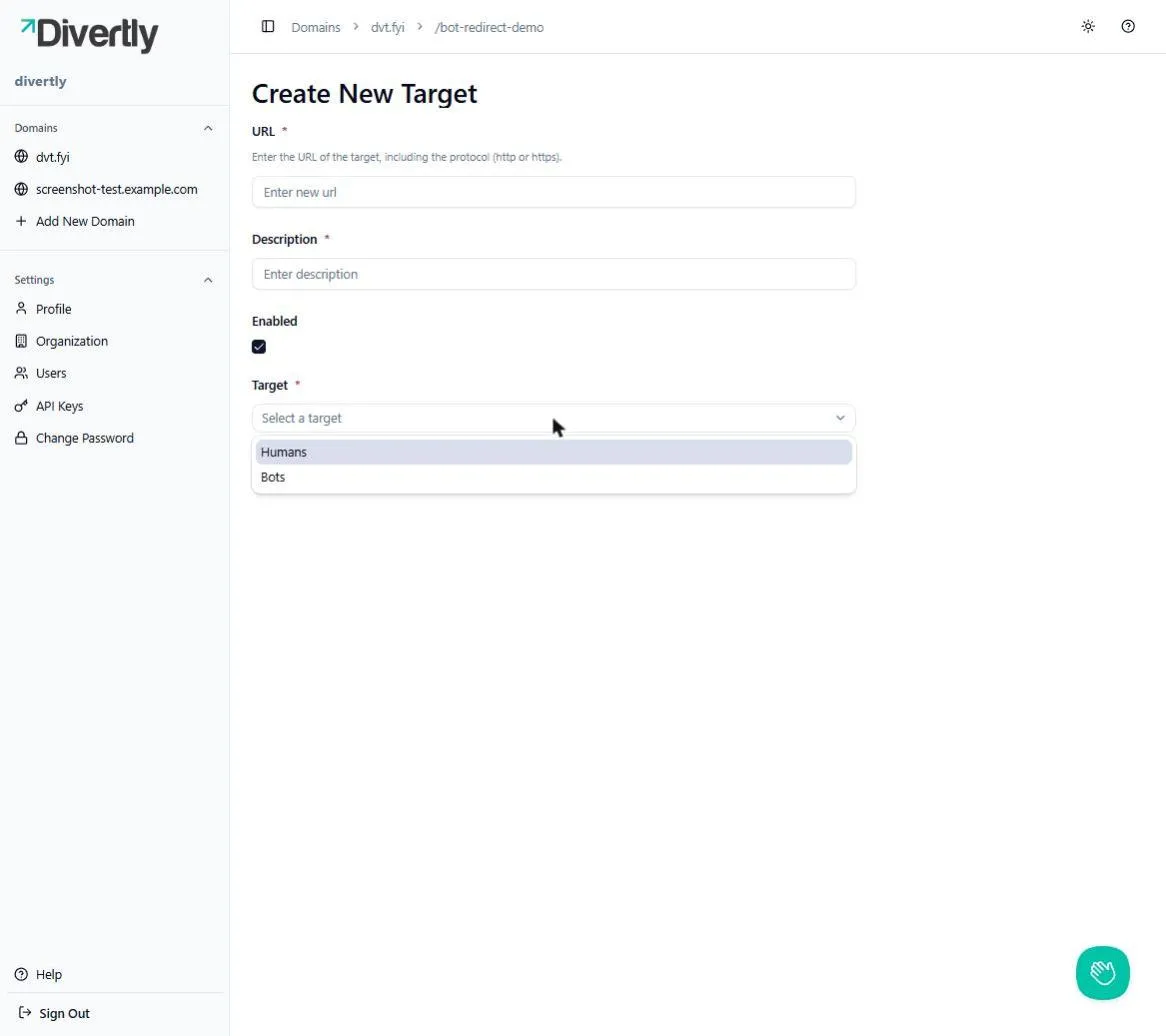
HumanWhether this target should handle Humans or Bots.
Header, Query String, IP CIDR, User AgentA Value you type in yourself, matched against the request.
The Create New Target form with a Country strategy, showing the preset country picker The Create New Target form with a Human strategy, showing the Humans/Bots picker

Enable, edit, and delete

Toggle a target’s enabled state, edit its URL or match value, or delete it from its detail page. Deleting a target is permanent; disabling it is reversible and doesn’t lose any configuration.

Metrics and risk

Like routes and domains, a target’s page shows its own traffic over time and a risk notice if anything about it has been flagged. See Metrics and Security & Risk.