
Subscriptions
Your organization’s plan determines its limits — such as how many domains it can have and how many clicks it can serve each month — along with which features are available. Limits are enforced. Divertly’s plans and current pricing are published at divert.ly/#pricing; check there for up-to-date details rather than relying on a number written down elsewhere, since plans can change.
How plans work
- Routes and targets are unlimited on every plan, including Free. There’s no per-seat pricing and no cap on the number of links.
- Billing is based on clicks served, not on how many links you create.
- The API is included on every plan, Free too.
- Every plan except Enterprise is self-serve. You can change plans yourself. Enterprise and custom pricing go through Divertly.
Visitor-based routing means Country, Language, Device Type, Browser, Operating System, HTTP Header, Query String, User Agent, Human vs. Bot, and IP CIDR. See Target Selection. Enterprise adds committed-use pricing and dedicated infrastructure.
The website is always the authority on pricing. See divert.ly/pricing.
What counts as a click
A click is a redirect served by one of your routes. Divertly tries to filter out automated traffic such as web crawlers, AI scrapers, and other unwanted clicks, so you don’t pay for wasted ones.
Overage
Each plan has a monthly click allowance, plus a 1,000-click buffer:
- Within the allowance and the buffer, nothing happens.
- Beyond the buffer, usage is billed at $1.50 per 1,000 clicks.
If you’re over most months, a bigger plan is usually cheaper.
Watch your usage on the Organization page, or read your limits from the entitlements endpoint described below.
View your plan and billing details
Go to the Organization page. The Billing section shows:
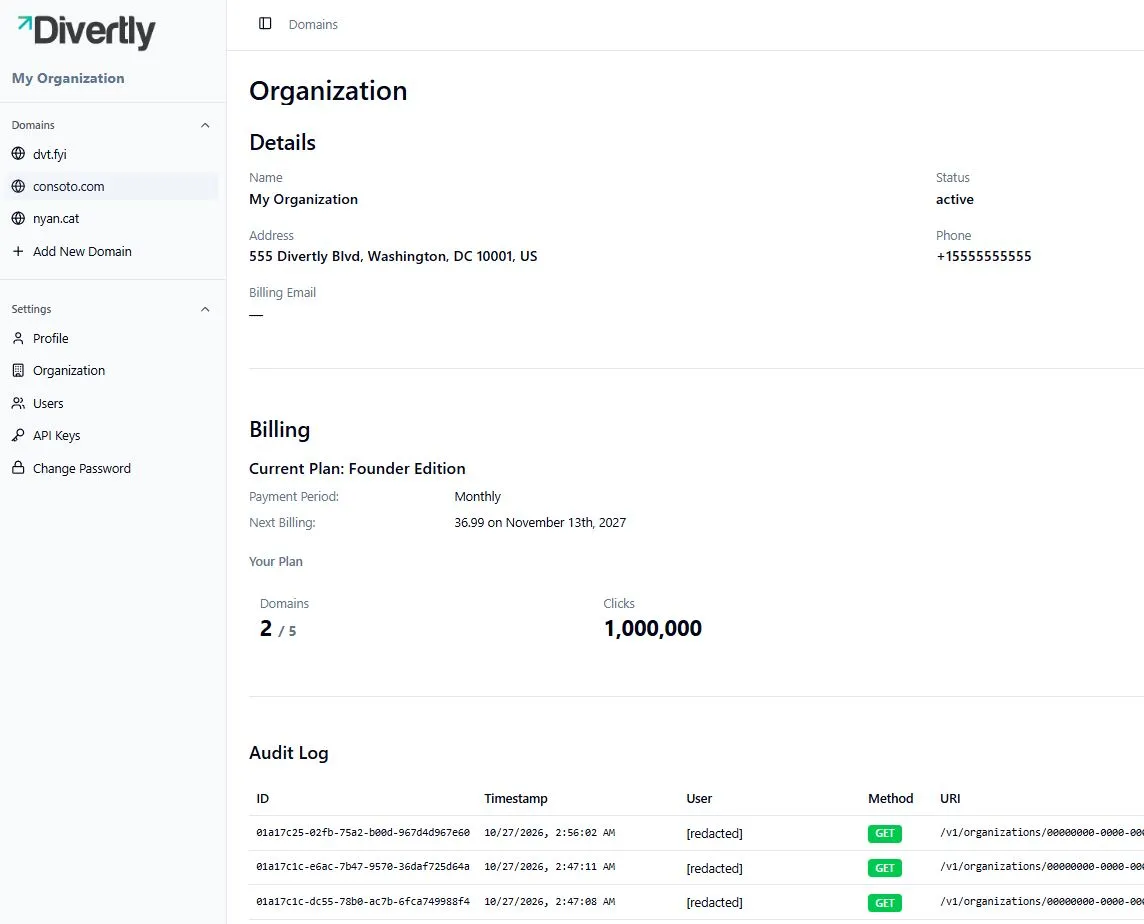
- Your current plan
- Your billing period and next billing date and amount
- How much of your plan’s limits you’ve used so far (for example, domains created against your domain limit)
Change your plan
Click the edit icon next to Billing to open Manage Subscription. This shows every available plan side by side, with a button to upgrade, downgrade, or select each one relative to your current plan.
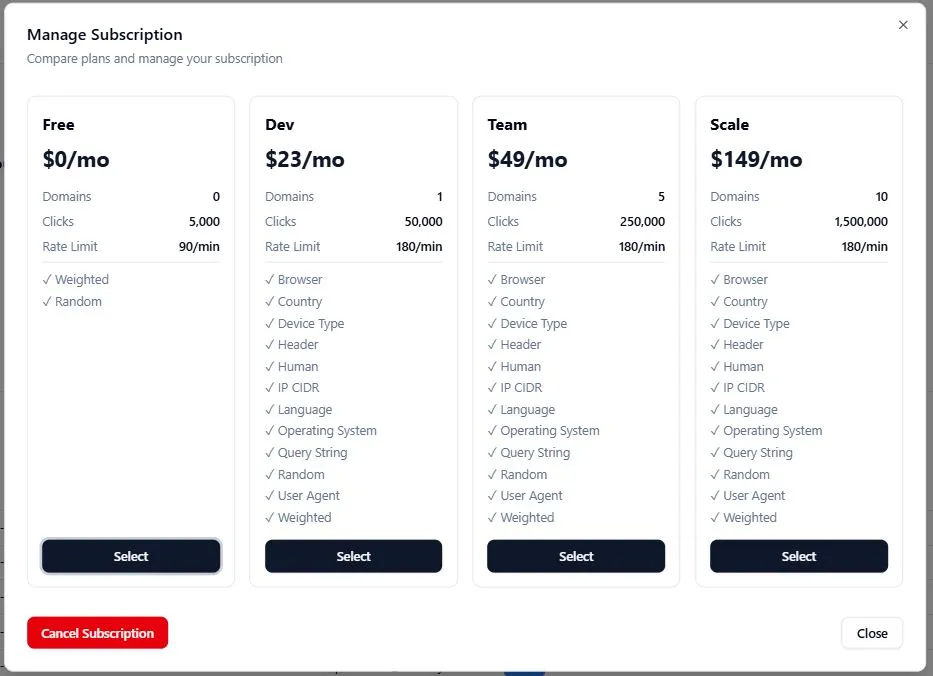
Each plan card lists its domains, monthly clicks, API rate limit, and the routing strategies it includes.
Downgrading to the Free plan is handled through your billing portal rather than through in-app checkout — selecting Free opens that portal for you.
Manage payment details
From the Manage Subscription dialog, click Manage to open your billing portal, where you can update payment methods and view invoices.
Cancel your subscription
From the Manage Subscription dialog, click Cancel Subscription and confirm. You keep access to your plan’s features until the end of the current billing period, after which your organization moves to the Free plan’s limits.
Check your limits and usage programmatically
This returns your organization’s current limits, including its rate limit — see Rate Limits & Errors for how that’s applied. See Authentication for how to authenticate this request.