
Domains
The fully-qualified domain names your routes live under.
A domain is the fully-qualified domain name that appears before the path in one of your links — the go.acme.com in go.acme.com/spring, for example. Every route belongs to exactly one domain.
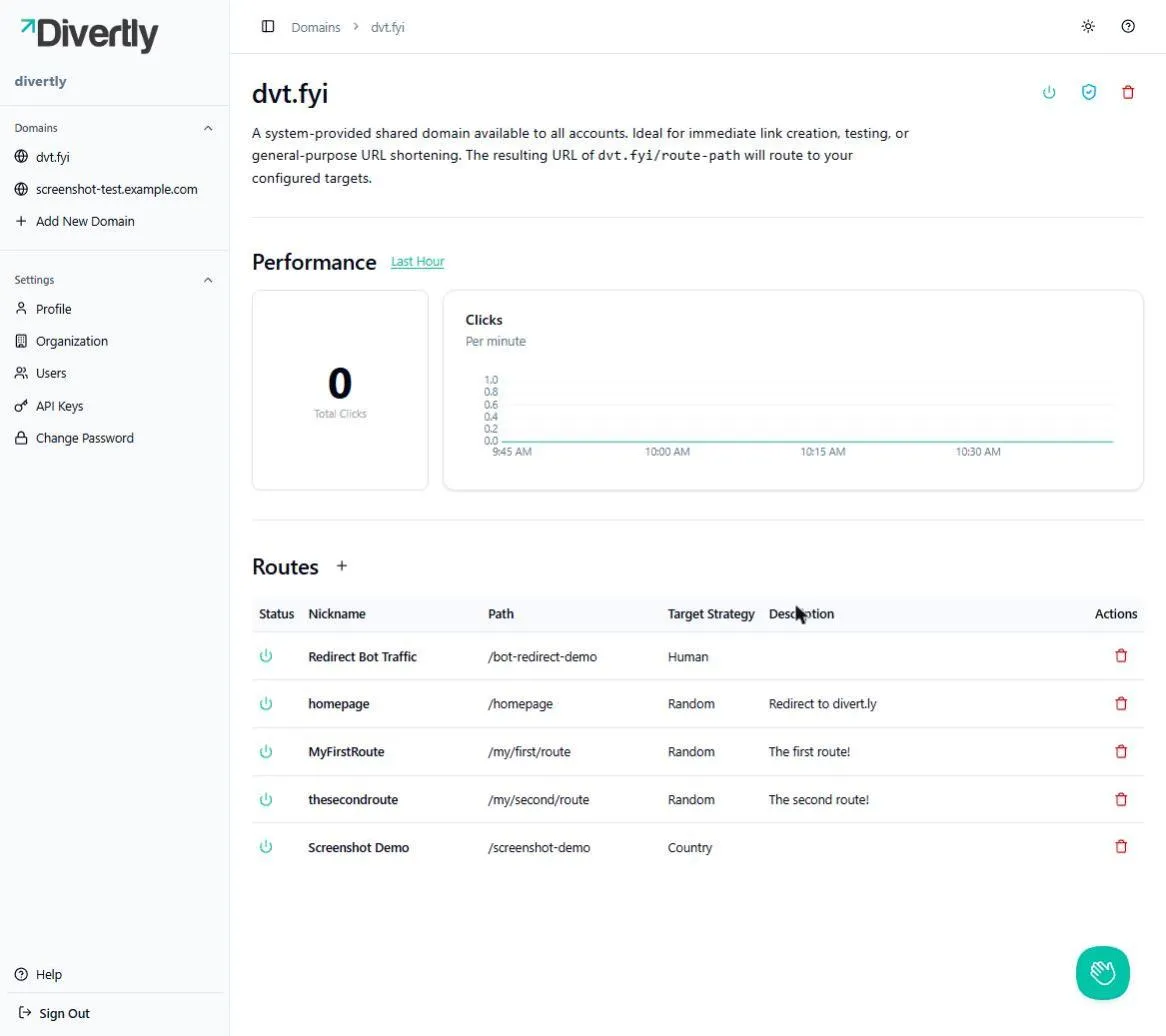
The shared domain
Every organization has access to dvt.fyi, a domain shared across the whole platform. It’s available immediately, with no setup, and is a good fit for testing or general-purpose link creation. Because it’s shared, paths on it must be unique across every organization using Divertly, not just your own.
Your own domain
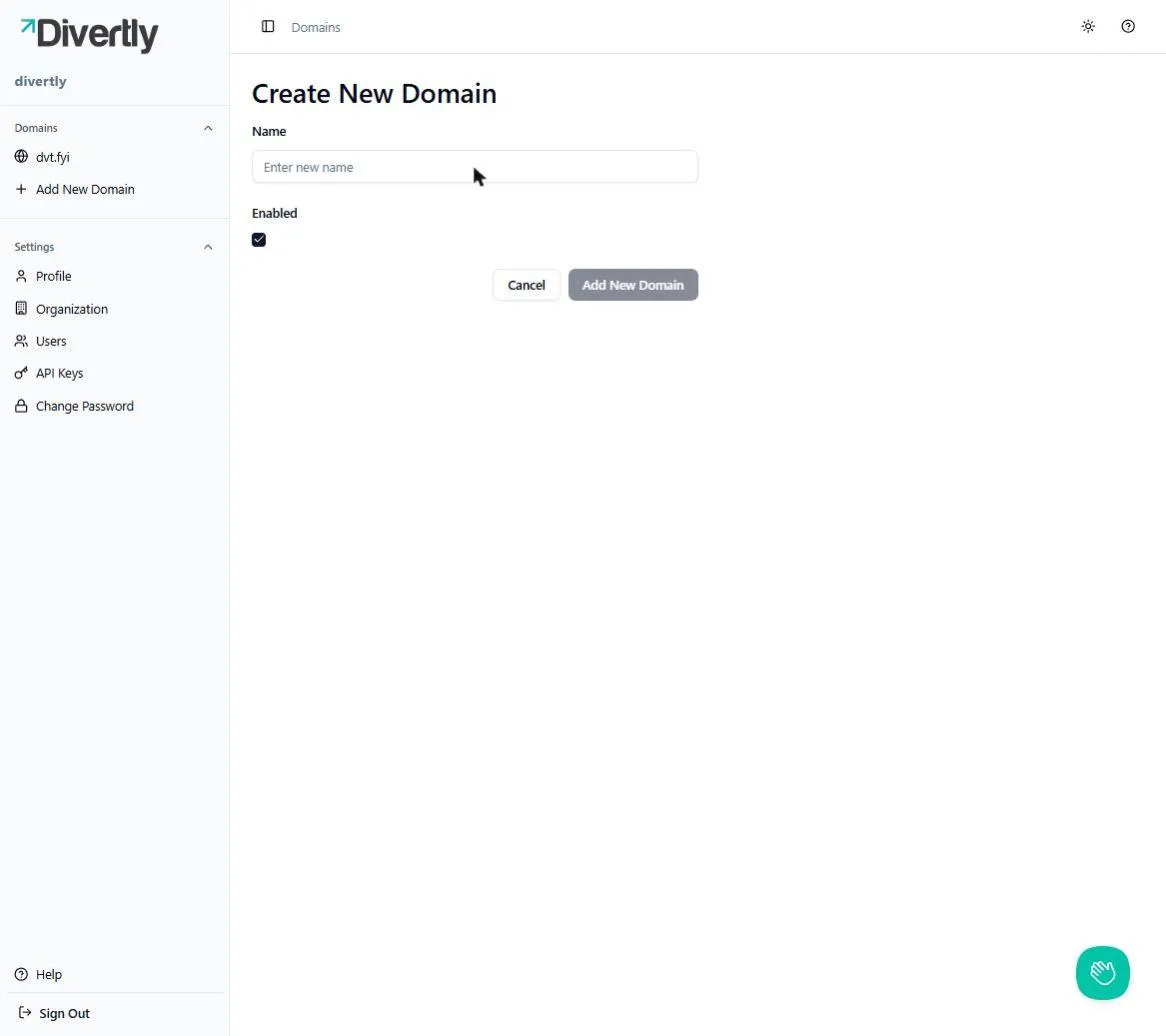
Add a domain you control from Domains > New Domain. Give it a Name — the fully-qualified domain name, with no spaces — and choose whether it’s Enabled. How many domains you can add depends on your plan; see Subscriptions.
Point your domain at Divertly
For traffic to actually reach Divertly, add a CNAME record aliasing your domain to proxy.divert.ly:
Verify a domain
Separately from the record above, verify a domain to confirm you control it. From the domain’s page, click the verify icon and add the DNS record shown:
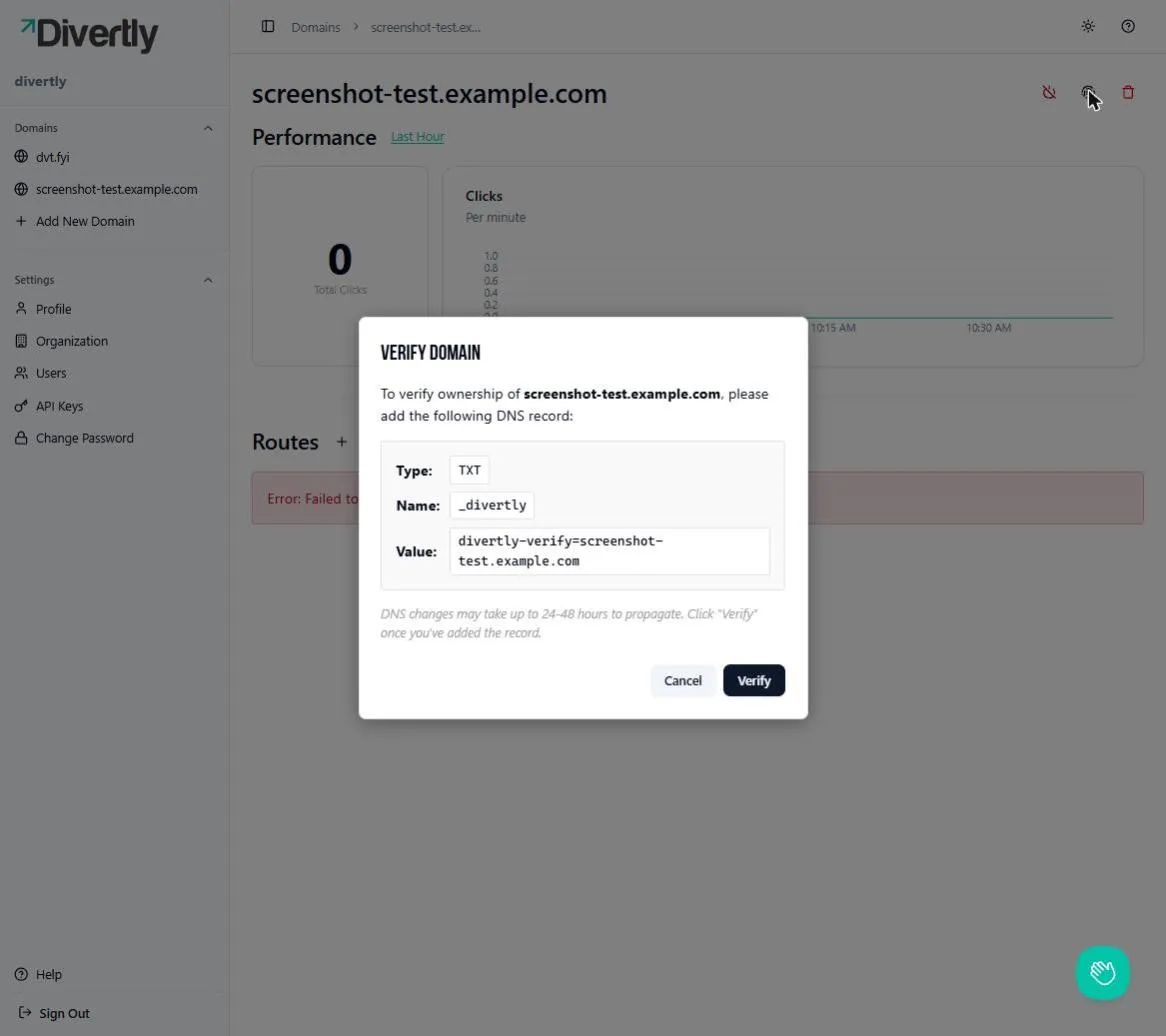
DNS changes can take up to 24–48 hours to propagate. Once the record is in place, click Verify. A verified domain shows a checkmark instead of the verify icon.
Verification isn’t a one-time check — Divertly periodically re-verifies the TXT record in the background. Don’t remove it once your domain is verified: doing so can cause the domain, and every route under it, to be disabled. You’ll get an email at your organization’s email address if a domain’s verification status changes.
Enable, disable, and delete
Toggle a domain’s enabled state from its page — disabling a domain stops traffic from routing through it without deleting anything underneath it. Deleting a domain is permanent.